



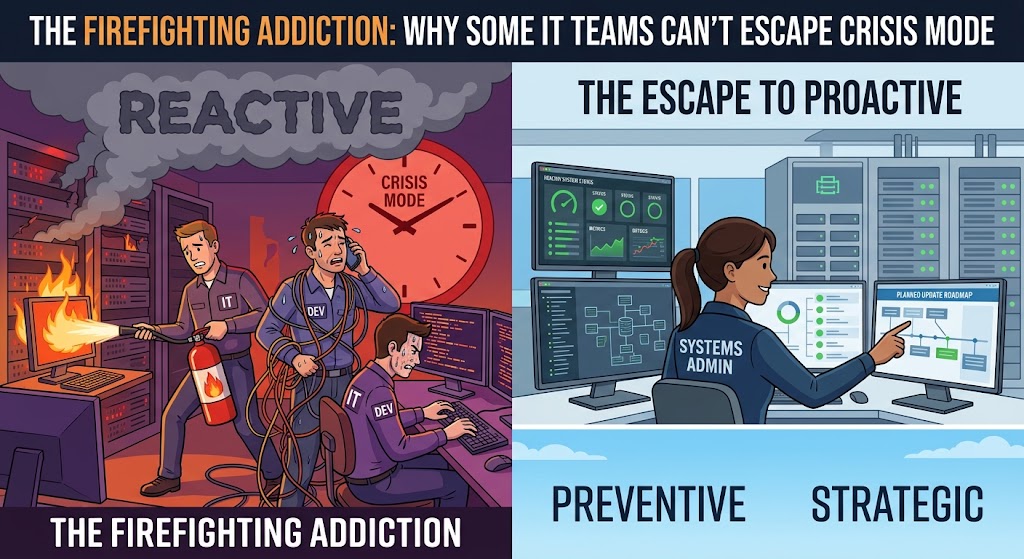

IT firefighting feels like productivity. The phone rings, the dashboard turns red, someone dives in, and an hour later the outage is over and everyone gets a round of thanks. It is exciting, it is visible, and for many teams it has quietly become the whole job.
Here is the catch. Teams that spend the week putting out fires rarely get time to fireproof anything. The same alert returns next Tuesday, the same server falls over next month, and the same three people stay back late again. That loop is the firefighting addiction, and it is one of the hardest habits in technology to break.
This article explains why IT firefighting is so sticky, what it really costs, and what high-performing teams do differently, including how ITIL 4 practices give you a proven way out of crisis mode.
What Is IT Firefighting, and Why Is It So Addictive?
IT firefighting is a way of working where incidents, escalations and urgent requests drive almost everything the team does. Planned work gets pushed aside, and the calendar belongs to whoever shouted loudest that morning.
It is addictive because the rewards are immediate. Fixing a live outage delivers a quick, visible win, a burst of adrenaline and often public praise. Prevention offers none of that. Nobody throws a party for the outage that didn’t happen. So the engineer who saves the day at 2am gets thanked, while the engineer who quietly fixed the root cause so 2am never came goes unnoticed. Organisations end up rewarding the behaviour that keeps the fires burning.
8 Signs Your Team Is Stuck in IT Firefighting
Be honest as you read this list. If four or more sound familiar, your team is likely deep in crisis mode.
- Your weekly plan is rewritten by Tuesday.
- The same incidents keep coming back.
- Only one or two people know how to fix your critical systems.
- Changes go live without a proper risk check, then cause new incidents.
- Nobody has time for documentation, automation or training.
- Alert channels are so noisy that people mute them.
- Post-incident reviews either don’t happen or produce no follow-up actions.
- Your best people are exhausted, or quietly updating their CVs.
Why IT Firefighting Happens: 5 Root Causes

Incidents get closed, but problems never get fixed
Restoring service and removing the cause are two different jobs. ITIL treats them separately: incident management gets people working again fast, while problem management hunts down the underlying cause. Teams that only do the first half will repeat it forever.
Changes go in without enough control
Rushed or poorly assessed changes are a classic source of fresh incidents. Without a sensible way to judge risk, every release becomes a roll of the dice, and the team pays for it in emergency fixes.
Nobody owns the recurring pain
When an annoying issue affects everyone, it belongs to no one. Everybody works around it, and it never reaches the top of anyone’s list.
Heroes are rewarded and prevention is invisible
If promotions and praise go to the people who rescue systems, the team learns that rescuing is what matters. Prevention needs to be recognised too, or it will always lose.
Alert overload and toil eat the calendar
Repetitive, manual, reactive work has a name: toil. Google’s Site Reliability Engineering book warns that toil expands if left unchecked and can fill 100% of everyone’s time, which is why Google caps operational work at 50% for its SRE teams and reports the real average is closer to a third. Most IT teams have no cap at all.
The Real Cost of IT Firefighting
The obvious cost is downtime. The hidden costs are usually bigger. Strategic projects stall because nobody has a free week. Skilled people burn out and leave, taking their knowledge with them. The business stops trusting IT to plan anything, so it starts buying tools and services behind IT’s back.
There is also a slow cultural cost. Teams in permanent crisis mode stop experimenting, stop documenting and stop learning, because there is always something more urgent. Over time, IT firefighting stops being a phase and becomes the operating model.
How High-Performing Teams Break the IT Firefighting Cycle
High-performing teams still have incidents. The difference is that incidents lead to learning instead of repeating. Research from DORA, the DevOps Research and Assessment programme, frames delivery performance around both throughput and instability, so teams are asked to move quickly and keep things stable. DORA also warns against making the metrics themselves the goal, which is a good reminder that numbers should prompt questions, not blame.
In practice, the habits below show up again and again. Each maps neatly to a practice in ITIL 4.
| What high performers do | What it looks like day to day | ITIL 4 practice |
| Separate restoring service from fixing causes | Fast triage first, root-cause work scheduled straight after. | Incident management |
| Investigate every repeat incident | A named owner and a deadline for each recurring issue. | Problem management |
| Assess change risk in proportion | Low-risk changes flow quickly, high-risk ones get review. | Change enablement |
| Agree what “good” means with the business | Clear targets, so urgent is defined by impact, not volume. | Service level management |
| Protect time for improvement | A fixed slice of each week reserved for prevention work. | Continual improvement |
| Share what they know | Runbooks and articles anyone can follow at 2am. | Knowledge management |
Culture matters as much as process. Teams that review incidents without blame find more root causes, because people feel safe telling the truth.
A 60-Day Plan to Stop IT Firefighting
You can’t stop everything and rebuild. You can change direction gradually, starting now.
- Days 1 to 10: measure. Log every incident for two weeks. Tag each by service, cause and whether it has happened before.
- Days 11 to 20: choose your top three repeat offenders. Give each one an owner and a target date. Three is enough to start.
- Days 21 to 40: fix causes, not symptoms. Run short root-cause reviews and introduce a simple change risk check before anything goes live.
- Days 41 to 50: cut the noise. Retire alerts nobody acts on and automate one repetitive task that eats hours every week.
- Days 51 to 60: protect improvement time. Block a fixed slice of every week for prevention work, then review your incident numbers with the team.
Repeat the cycle every quarter. Escaping IT firefighting isn’t a project with an end date. It is a habit.
Build the Skills to End IT Firefighting with ITIL 4 Certification
ITIL is one of the most widely adopted IT service management frameworks in the world, now managed by PeopleCert. Its practices give teams a shared language and a tested method for exactly the problems described above. Our instructor-led courses cover the Service Value System, incident, problem and change practices and continual improvement, with exam preparation built in.
| Who you are | Where to start | What it helps you do |
| Service desk analyst, support engineer or newcomer to ITSM | ITIL 4 Foundation Certification | Learn the core concepts and vocabulary. No formal prerequisites. |
| Team leader or incident, problem or change manager | ITIL 4 Managing Professional | Apply practices in real workflows and deliver improvement. |
| IT manager, head of operations or senior leader | ITIL 4 Strategic Leader | Steer IT strategy and lead teams away from reactive work. |
You can compare every pathway on the certifications page, or read the answers to common questions on our FAQs page.
IT Firefighting Solutions: ITIL Training in Melbourne, Sydney, Brisbane, Perth, Adelaide and Canberra
Wherever your team sits, the fastest way to stop IT firefighting is to train people together, so they return with the same language and the same plan. You can study in class in major cities or join live online from anywhere. See all locations, or pick your city below.
- ITIL certification course in Melbourne: our West Melbourne team supports Victorian IT teams.
- ITIL certification course in Sydney: in-class and live online options for New South Wales.
- ITIL certification course in Brisbane: training for Queensland service desks and operations teams.
- ITIL certification course in Perth: live online or in-house training for Western Australia.
- ITIL certification course in Adelaide: live online or in-house training for South Australia.
- ITIL certification course in Canberra: live online or in-house training for the capital region.
IT Firefighting FAQs
What is IT firefighting?
It is a reactive way of working where urgent incidents and escalations consume most of a team’s time, leaving little room for planned, preventive or improvement work.
Why do IT teams get stuck in crisis mode?
Usually because root causes never get fixed, changes aren’t risk-assessed, ownership is unclear and heroic rescues are rewarded more than prevention.
How do you stop IT firefighting?
Measure repeat incidents, assign owners to the worst offenders, control change risk, cut alert noise and protect time each week for prevention. Then repeat the cycle regularly.
Can ITIL help reduce IT firefighting?
Yes. ITIL 4 practices such as incident, problem and change management, service level management and continual improvement give teams a structured way to move from reacting to preventing.
Do I need experience to take ITIL 4 Foundation?
No formal prerequisites are required, so beginners and experienced professionals can both enrol. Start with our ITIL 4 Foundation course.
Final Thoughts: Choose Prevention Over IT Firefighting
Crisis mode feels busy, important and even a little heroic, which is exactly why it lasts. The way out isn’t working harder. It is fixing causes, controlling change and giving prevention the same respect as rescue. If you want a structured path, explore our ITIL courses, call 1300 649 299, or contact our team to choose the right starting point. You can also learn about us or read more on our blog.