


Emergency change management is meant to be the safety valve of IT operations: a fast, controlled way to push a fix when something critical is on fire. In plenty of Australian IT teams, though, that safety valve has quietly become the front door. Every week there is another “urgent” patch, another midnight config tweak, another fix that “can’t wait for the CAB”. And a few days after each fix goes in, something else breaks.
If that sounds familiar, you are not dealing with bad luck. You are dealing with a habit. This guide explains how emergency change management works in ITIL 4, why rushed fixes so often seed the next incident, and what service desks, change managers and IT leaders in Sydney, Melbourne, Brisbane, Perth, Adelaide and Canberra can do to break the cycle for good.
Here is the short version: emergency change management rarely fails because of the emergency itself. It fails because of what we skip when we are in a hurry, and how often we choose to be in a hurry.
What Is Emergency Change Management in ITIL 4?
In ITIL 4, change enablement is the practice that maximises the number of successful IT changes by making sure risks are properly assessed, change schedules are managed and authorisation is given. It recognises three broad change types: standard, normal and emergency. An emergency change is one that must be implemented as soon as possible, usually to restore a failed service or to close off a serious security exposure.
Emergency change management is the set of rules, roles and records that make that speed safe. Older versions of ITIL talked about an Emergency Change Advisory Board (ECAB). ITIL 4 is less rigid about structure and refers to a change authority, which can be delegated to the people closest to the work. The intent is unchanged: a small group with the right knowledge approves the change quickly, the change is recorded, and someone reviews it afterwards.
Two phrases matter in that definition: “as soon as possible” and “reviewed afterwards”. Teams tend to remember the first and forget the second. For background on the framework itself, see PeopleCert, the organisation that now owns the ITIL brand.
The Emergency Change Habit: How One Urgent Fix Becomes Five
Nobody decides to build a culture of weak emergency change management. It grows one reasonable decision at a time. The loop usually looks like this:
- A service degrades or a vulnerability lands, and the pressure is immediate.
- The standard route feels too slow, so the fix is raised as an “emergency”.
- The change is built, tested lightly (or not at all) and pushed straight to production.
- Documentation, rollback plans and the post-implementation review are “for later”.
- The fix interacts with something nobody checked, and a new incident appears.
- The new incident is also urgent. Back to step one.
The tricky part is that every lap of the loop makes the team look heroic. The service came back, the stakeholder said thanks, and the ticket closed. Nobody sees the extra incident the fix quietly planted. It is the same dynamic we unpacked in our post on why firefighting creates visibility but prevention creates value: attention goes to the person who rescued the service, while the real value sits with the person who made the rescue unnecessary.
Why Urgent IT Fixes Create the Next Incident
Speed is not the villain. Skipped steps are. When emergency change management is treated as a way to bypass the process instead of a faster version of it, the same failure patterns appear again and again.
| Shortcut taken | What gets skipped | The incident it tends to create |
| Pushing straight to production | Testing in a representative environment | Regression: the fix works but breaks an adjacent service |
| “Quick” config change by one engineer | Peer review and a change record | Configuration drift that nobody can explain later |
| No rollback plan | Backout steps and a decision point | A bad fix cannot be undone, so the outage grows |
| Verbal approval only | Risk assessment and audit trail | Repeat fixes, compliance findings and finger-pointing |
| Closing the incident when service returns | Root cause analysis in problem management | The same incident returns a few weeks later |
| Skipping the post-implementation review | Lessons learned and standard change creation | The same emergency is “discovered” again next quarter |
Notice what is missing from that list: complexity. None of these failures need exotic technology. They are ordinary shortcuts, taken under pressure, in systems that have more hidden dependencies than anyone has mapped.
That last point deserves attention. Modern environments (cloud platforms, SaaS integrations, identity providers, endpoint agents) are tightly coupled, so a change to one component can ripple outward in ways the engineer cannot see from their console. The widely reported CrowdStrike outage in July 2024, linked to a faulty content update that crashed Windows systems around the world, showed how a change distributed without a staged rollout can multiply one mistake across thousands of machines. Most of us will never face that scale, but the principle applies to every change window.
Emergency Change vs Standard Change vs Normal Change
| Attribute | Standard change | Normal change | Emergency change |
| Typical trigger | Routine, repeatable work such as adding a user | Planned upgrade, new feature or migration | Major incident or critical vulnerability |
| Risk profile | Low and well understood | Assessed case by case | High urgency, often high risk |
| Approval | Pre-authorised | Change authority or CAB | Expedited, delegated change authority or ECAB |
| Lead time | Short and scheduled | Days to weeks | Hours or less |
| Review | Periodic | Post-implementation review | Mandatory post-implementation review |
| Goal | Efficiency | Control and value | Restore service safely |
In a healthy environment, emergency change management handles very few cases, because standard and normal changes cover most of the work. When that ratio flips, it usually means the standard and normal routes are not fit for purpose and people are routing around them.
Warning Signs Your Emergency Change Management Has Become a Habit
You do not need a consultant to spot the pattern. Check your own change records for these signals:
- The share of changes raised as emergencies is high, and rising month on month.
- The same application, server or team appears in emergency changes again and again.
- Emergency changes are approved after they are implemented, as retrospective paperwork.
- Post-implementation reviews are skipped, or happen without any actions being assigned.
- Change failure rate and repeat incident rate climb after “urgent” fixes.
- Engineers describe change approvals as obstacles rather than protection.
- Your best people spend most of their week on unplanned work.
Four metrics tell the story quickly: emergency change ratio (emergency changes as a share of all changes), change failure rate, repeat incident rate and mean time to restore. The DORA research programme, run by Google Cloud, popularised change failure rate and time to restore as indicators of delivery stability; the research is published at dora.dev. If your emergency change management is pushing those numbers the wrong way, the habit is costing more than it saves.
How to Fix Emergency Change Management: 7 Practical Steps

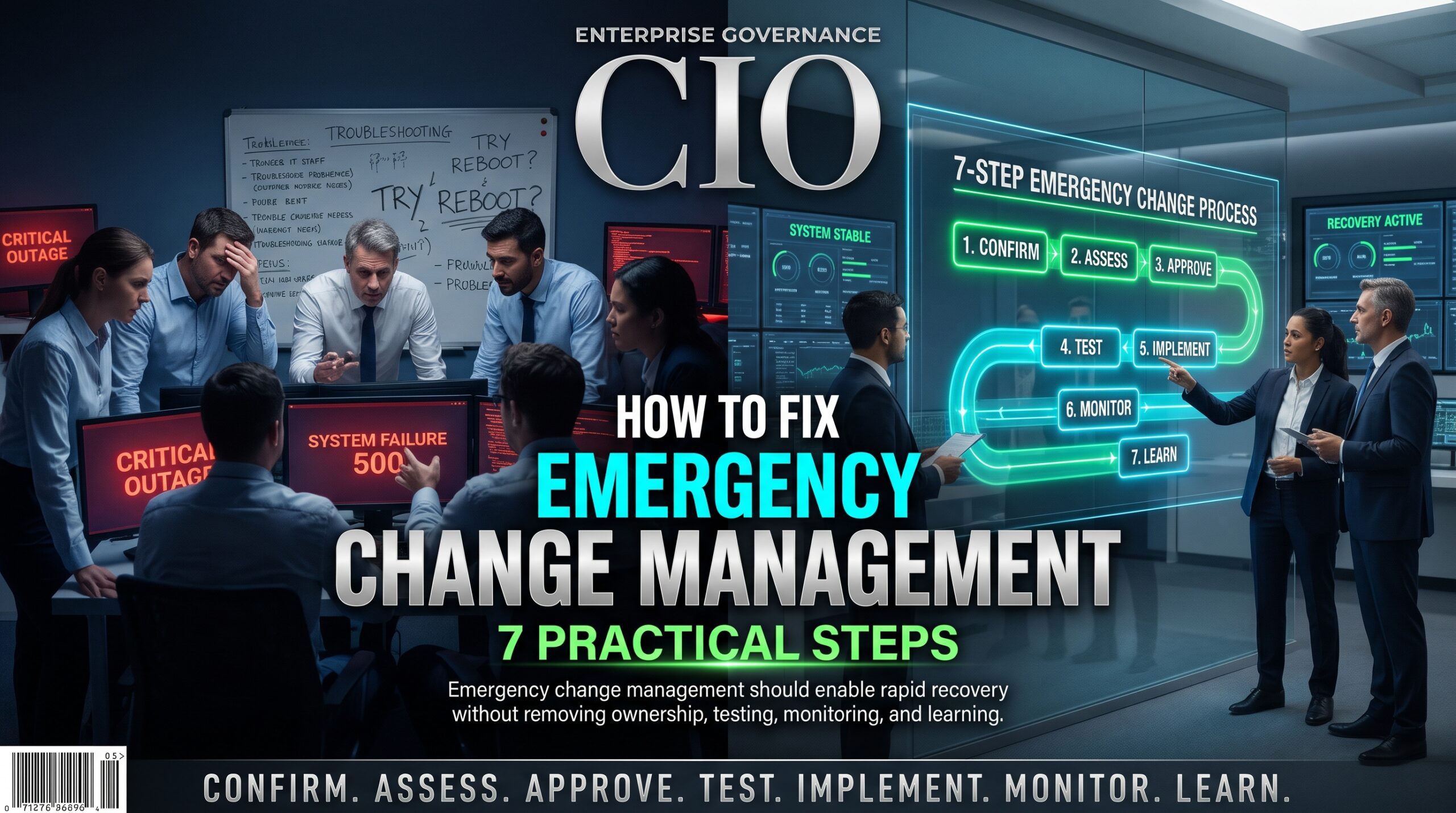
1. Define what truly counts as an emergency
Write it down: a live service outage with business impact, or a critical security exposure that is being exploited or is about to be. “The executive wants it today” is not an emergency. It is a prioritisation conversation.
2. Turn repeat fixes into standard changes
If you restart the same service, rotate the same certificate or clear the same queue every month, stop treating it as an emergency. Build a tested runbook, pre-authorise it and let the team execute safely in minutes.
3. Set a non-negotiable minimum, even in a crisis
Every emergency change needs a named owner, a one-line risk statement, a rollback step and a record. That is two minutes of work, not two days, and it prevents most of the damage in the table above. This minimum is the backbone of good emergency change management.
4. Empower a small, on-call change authority
Two or three experienced people on a roster, with authority to approve quickly, remove the temptation to skip approval entirely. Delegation keeps emergency change management fast without making it reckless.
5. Review every emergency change within days
Hold a short post-implementation review. Was it truly an emergency? What did we skip? What would have prevented it? Capture actions and owners.
6. Connect emergency changes to problem management
When the same configuration item keeps appearing, open a problem record, find the root cause and log it as a known error. Our guide to incident management vs problem management shows how the two practices work together.
7. Measure it and show leadership
Report the emergency change ratio and change failure rate monthly. What gets measured gets discussed, and what gets discussed gets funded.
Security patching deserves a special mention. The Australian Cyber Security Centre’s Essential Eight places strong emphasis on timely patching of applications and operating systems. Fast patching and safe patching are not opposites. Mature teams use standard changes, staged rollouts and agreed patch windows so a critical patch becomes routine rather than a crisis.
Tools That Support Emergency Change Management
Tools do not fix culture, but good tooling makes the right path the easy path. Platforms such as ServiceNow and Jira Service Management let you build an emergency change template with mandatory fields (owner, risk, rollback, linked incident), route approvals to an on-call change authority and link each change to its originating incident and any resulting problem record. A configuration management database (CMDB), even a modest one, helps approvers see what else a change might touch.
Automated deployment pipelines with canary or staged releases add a technical safety net for emergency change management. If your team is exploring AI assistants, summarising change history and surfacing related incidents is a sensible starting point, provided people keep the approval decision. For more background on how change fits alongside other ITIL 4 practices, see the ITIL certification overview.
Emergency Change Management Across Australian Cities
The habit looks slightly different depending on where you work, but the principles of emergency change management are the same everywhere.
- Sydney: Finance, insurance and SaaS teams run dense release calendars and face tight regulatory expectations, so unplanned changes attract audit attention quickly. Explore ITIL training in Sydney.
- Melbourne: Large health, education and telecommunications environments with many integrations mean one rushed fix can ripple across services. Explore ITIL training in Melbourne.
- Brisbane: Growing enterprise and government service desks often rely on small, stretched on-call teams, so emergency change authority must be clearly delegated. Explore ITIL training in Brisbane.
- Perth: Resources, energy and logistics operators depend on always-on systems, often with remote sites, where a failed emergency change is expensive to reverse. Explore ITIL training in Perth.
- Adelaide: Defence, health and advanced manufacturing suppliers work under strict assurance expectations, so documented emergency change records matter. Explore ITIL training in Adelaide.
- Canberra: Federal agencies and their suppliers operate under strong security and audit requirements, which makes disciplined emergency change management part of everyday compliance. Explore ITIL training in Canberra.
Training is available in all six cities and as live online sessions, so distributed teams can learn together. You can also compare the Logitrain city course pages for the wider IT course range.
ITIL Training That Turns Urgent Fixes into Reliable Change Enablement
Process documents alone rarely change behaviour. People change when they understand why a process exists and have practised using it. Structured ITIL training strengthens emergency change management in three ways:
- ITIL 4 Foundation: gives the whole team a shared language for change enablement, incident, problem and continual improvement. It suits service desk analysts and team leads. You can also view the Logitrain ITIL 4 Foundation course.
- ITIL 4 Managing Professional: built for change managers, service owners and delivery leads who design and run the practices day to day.
- ITIL 4 Strategic Leader: aimed at IT leaders who set the targets, funding and culture that decide whether prevention beats firefighting.
Browse the full Logitrain ITIL course range, or contact the team on 1300 649 299 to talk through in-house training for your entire service desk.
Frequently Asked Questions About Emergency Change Management
What is an emergency change in ITIL?
An emergency change is a change that must be implemented as quickly as possible, typically to restore a failed service or fix a critical security issue. It follows an expedited approval route but should still be recorded, risk-assessed and reviewed afterwards.
What is the difference between an emergency change and a normal change?
A normal change goes through full assessment, scheduling and authorisation, usually by a change authority or CAB. An emergency change uses a fast-tracked path with delegated approval because waiting would cause unacceptable business impact.
Who approves an emergency change?
In ITIL 4, approval comes from a change authority the organisation defines. For emergencies this is often a small group or an on-call manager, traditionally called the ECAB, with authority to approve quickly.
Why do emergency changes cause more incidents?
They usually skip some combination of testing, peer review, rollback planning and documentation. Under pressure, hidden dependencies go unchecked and the fix creates a new fault somewhere else.
How can we improve emergency change management and reduce emergency changes?
Define clear criteria, convert repeat fixes into standard changes, use problem management to remove root causes, review every emergency change and track the emergency change ratio as a leadership metric.
Is ITIL 4 Foundation enough to improve change management?
Foundation provides the concepts and vocabulary, which is a strong start. People who own change enablement day to day often benefit from Managing Professional training as well.
Where can I study ITIL change enablement in Australia?
ITIL 4 courses run in Sydney, Melbourne, Brisbane, Perth, Adelaide and Canberra, plus live online. See the ITIL certification locations for options.
Break the Emergency Change Habit Before It Breaks Your Next Weekend
Emergency change management is not about slowing teams down. It is about protecting the speed you will need the next time something genuinely breaks. The teams that handle emergencies best are rarely the ones with the most heroes. They are the ones who rarely need them, because repeat fixes are standardised, root causes are removed and every urgent change is reviewed.
Start small by auditing your emergency change management. Pull your last ten emergency changes, ask which were genuinely urgent, and pick the most common root cause to fix properly. Then give your people the shared skills and vocabulary to keep going. Ready to build those skills? Talk to the ITIL Certification team or explore ITIL 4 courses across Australia today.